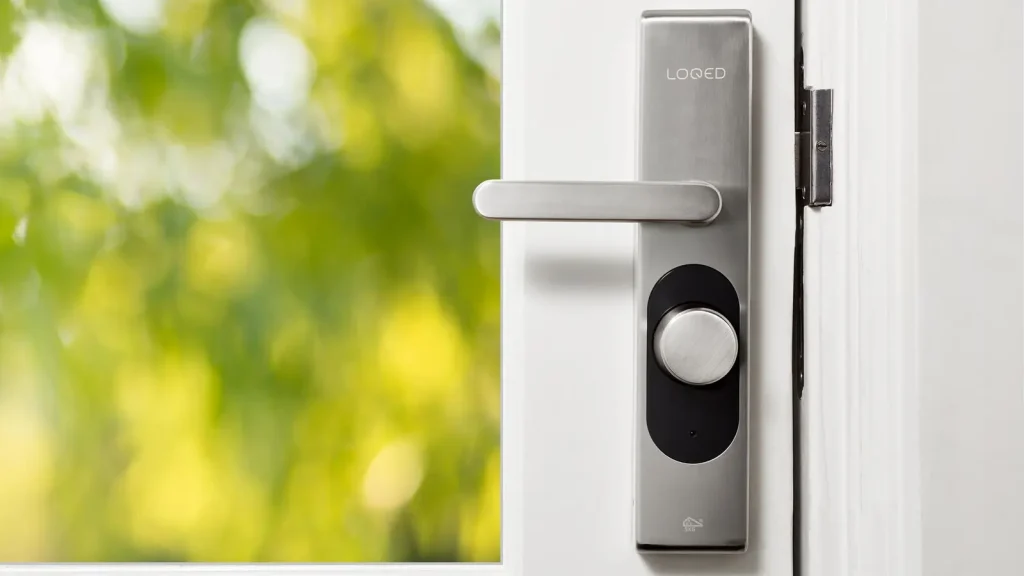
Smart locks have become a popular upgrade for homes, rentals and small offices. A keypad or Bluetooth lock lets you give access without handing out a key, check the lock from your phone and create temporary codes for guests or service visits. The benefits are real, but the result depends on the install. A smart lock on a door that does not close square will still be frustrating to use.
1. Check the door and frame first
Close the door and look at the gap around the edges. The door should sit evenly in the frame, and the latch and deadbolt should line up with their strikes without forcing. If the door sags or rubs, the smart lock may not operate smoothly, and it may wear faster. A locksmith can often fix a strike or a hinge adjustment before the install.
2. Confirm your door thickness and bore
Most smart locks are made for standard residential doors, usually around 1¾ inches thick, with a standard bore and backset. Check your door before you buy the lock, and compare the model’s specifications with what you measure. If the door is thicker, unusual or pre-drilled differently, the lock may need a different model.
3. Decide how the lock will be powered
Most smart locks run on batteries and warn you when power is low. Some add a backup power port or a keypad power option for emergencies. Check the battery type, how long the batteries last and how the lock tells you when they are low. Keep spare batteries on hand so you are never caught out.
4. Choose Wi-Fi, Bluetooth or a hub
Bluetooth locks work with your phone when you are nearby, and they keep working even if your internet is down. Wi-Fi locks can be controlled from anywhere, but they depend on a steady connection. Some systems use a hub. Decide how you want to use the lock before you buy, and check whether it works with the devices your household already uses.
5. Plan your codes and user access
Before the install, make a list of who needs access: family members, a cleaner, a dog walker, a rental guest or a contractor. Most smart locks let you create individual codes and remove them later. Set up a schedule for temporary codes where the lock allows it, and check that the lock will keep a record of who used it.
6. Keep a mechanical key
Every smart lock should still have a mechanical key as a backup. Keep it somewhere safe, not in the lock itself, and confirm that the lock can be opened with the key even when the batteries are flat. This simple step prevents most smart lock frustrations.
7. Set up auto-lock and alerts carefully
Auto-lock can be convenient, but set the delay so that people entering or leaving are not caught out. Turn on activity alerts if the app supports them, and test them once so you know they work.
8. Ask for a walk-through
A good install ends with a walk-through. Ask the installer to show you how to lock and unlock the door with each method, how to add or remove codes, how to check battery levels and where the mechanical key should be kept. Write down any codes and store them securely.
When to call a professional
A smart lock install is a good job for a locksmith if the door needs adjusting, if the old deadbolt is worn or if you want the lock set up with the right backup key. See our smart lock installation service in Anderson, SC, or ask for a visit and we will confirm the price before we start.
Questions before you book? Contact the locksmith in Anderson, SC team and we will help you choose the right service.